STORAGE, EXPLAINED01
Meet your space
invaders.
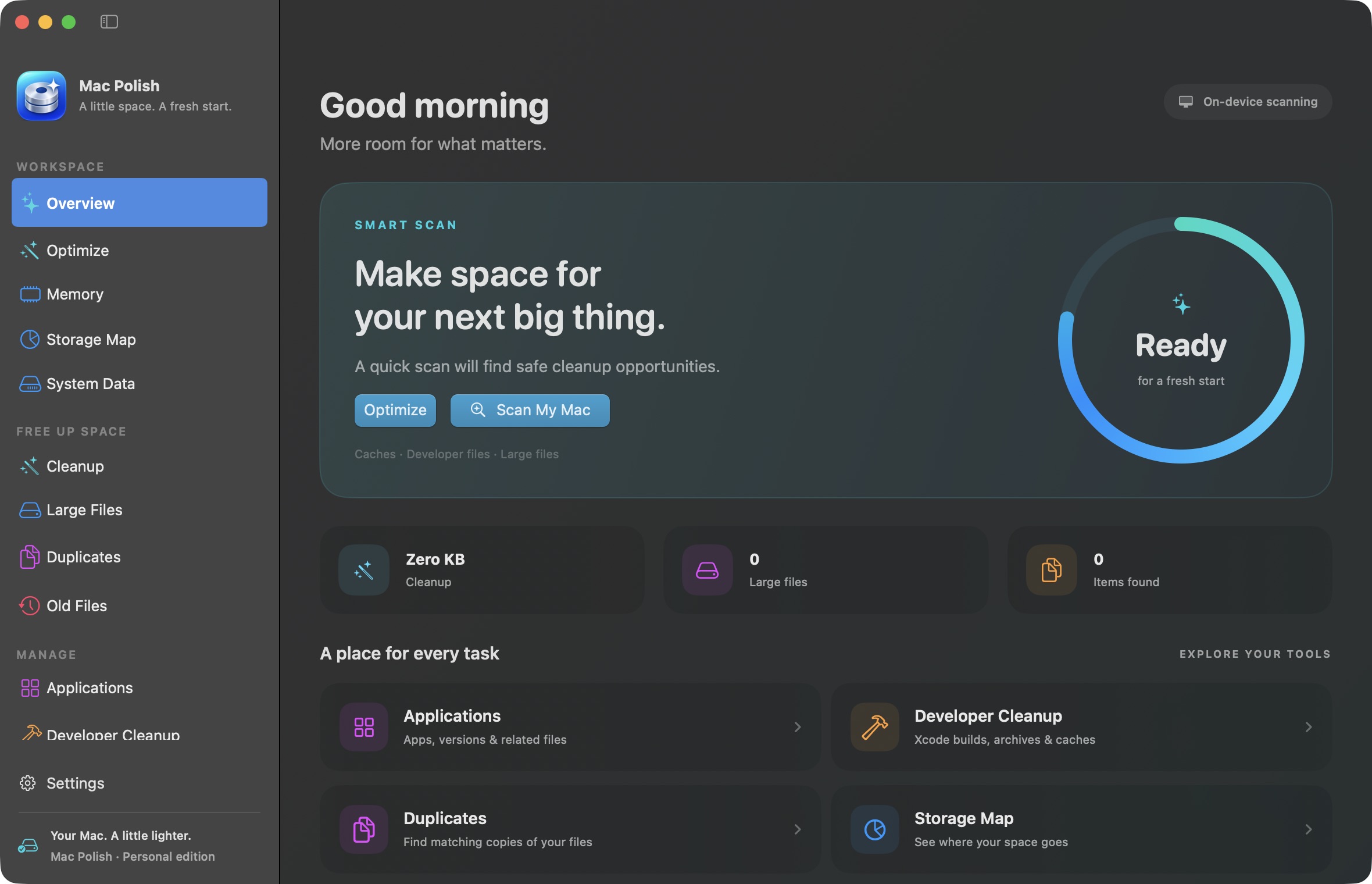
Explore the Data volume with the Storage Map in v0.9.0. Partial scans and unexplained space are clearly marked; incompletely scanned caches are excluded from automatic cleanup suggestions.
 macpolish.
عربي
Get Mac Polish
A LITTLE SPACE. A FRESH START.
Big ideas need a little breathing room.
Find the clutter, understand your storage, and make space for what’s next.
Apple Silicon · macOS 14+ · Free download · Code on GitHub
01 / SMALL APP. USEFUL SUPERPOWERS.
One calm place to see what’s going on.
And decide what deserves to stay.
Explore the Data volume with the Storage Map in v0.9.0. Partial scans and unexplained space are clearly marked; incompletely scanned caches are excluded from automatic cleanup suggestions.
Find byte-matching copies with SHA-256. Extra copies are checked again before moving to Trash. Your retained copy stays put.
Keep an eye on RAM, memory pressure and Swap. See running apps, with a menu-bar monitor just a click away.
02 / A CLOSER LOOK
Made for macOS, in SwiftUI.
No browser pretending to be a Mac app.
03 / YOU’RE IN CONTROL
No mysterious “boost” button. No promise of a magically faster Mac. Just useful information and a cleanup plan you can review.
Read the documentationInspect accessible storage and get suggestions for older caches and logs. Protected locations may need your permission.
Review the paths and choose what goes. Personal files, backups and project dependencies aren’t part of automatic cleanup.
Approved file cleanup moves items to Trash. Optional Docker build-cache removal is permanent and asks separately; volumes aren’t targeted.
A little utility for the Mac you love.
Free to download. Yours to explore.
Apple Silicon (M-series) · macOS 14 or later
Intel Macs are not supported by this build.
Prefer a one-liner?
Choose a release on GitHub to get its installer.Quit Mac Polish before updating. The installer verifies the archive and keeps a backup of your previous installation.
From v0.9.1, releases use a stable self-signed certificate and hardened runtime. They are not Apple-notarized. Moving from an older version may require granting file access again. The installer does not change security settings.
Downloads come directly from GitHub. Preview releases are included and clearly labeled.
A FEW GOOD QUESTIONS
Yes. The current personal release is available to download without a purchase. The source code, release history and contribution guide are available on GitHub.
No cleanup starts just because you open the app or run a scan. Review the suggestions and confirm your plan. File cleanup uses Trash. Docker build-cache removal is an optional, separate permanent action.
It helps with protected locations, but you can use a limited scan without it. Memory monitoring doesn’t need extra file permissions. Full Disk Access doesn’t override locked files, ownership or read-only folders.
It’s an early release with ongoing testing. Some locations can be restricted or time out. Read the release notes and validation report for current coverage and limitations. macOS storage totals may differ from the app’s measured locations.
Mac Polish helps you understand and reclaim storage. It doesn’t guarantee a speed increase. Cleared caches may be rebuilt, and that can temporarily make some tasks slower.